
See every limit in one place
Follow moving windows, weekly quotas, token usage and API costs across providers and accounts.

AI Limits & Reset Tracker
By Inovantis
Track Claude, ChatGPT and Codex usage limits, upcoming resets and AI API costs across iPhone, iPad and Mac. Get alerts before a limit interrupts your work.
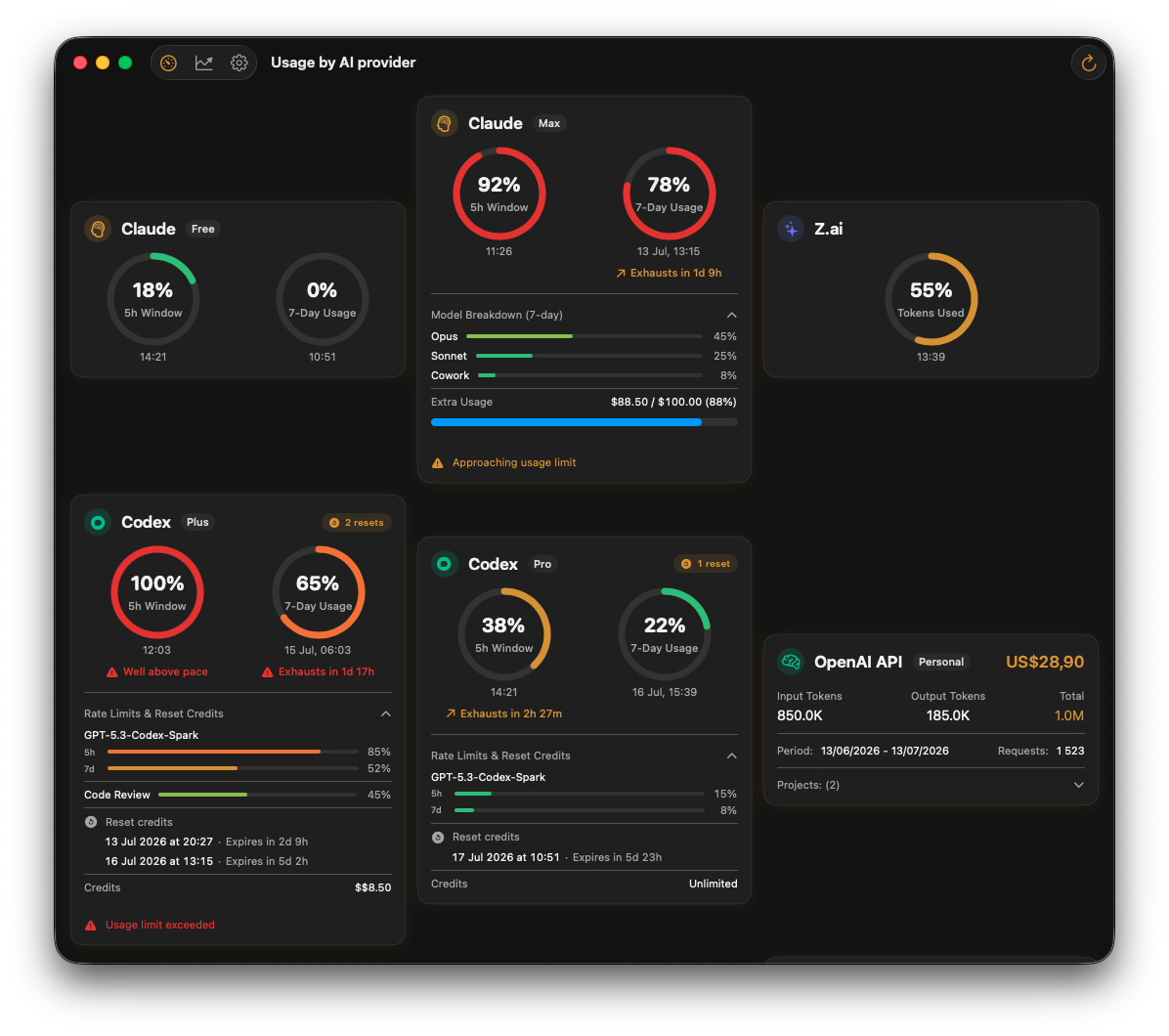
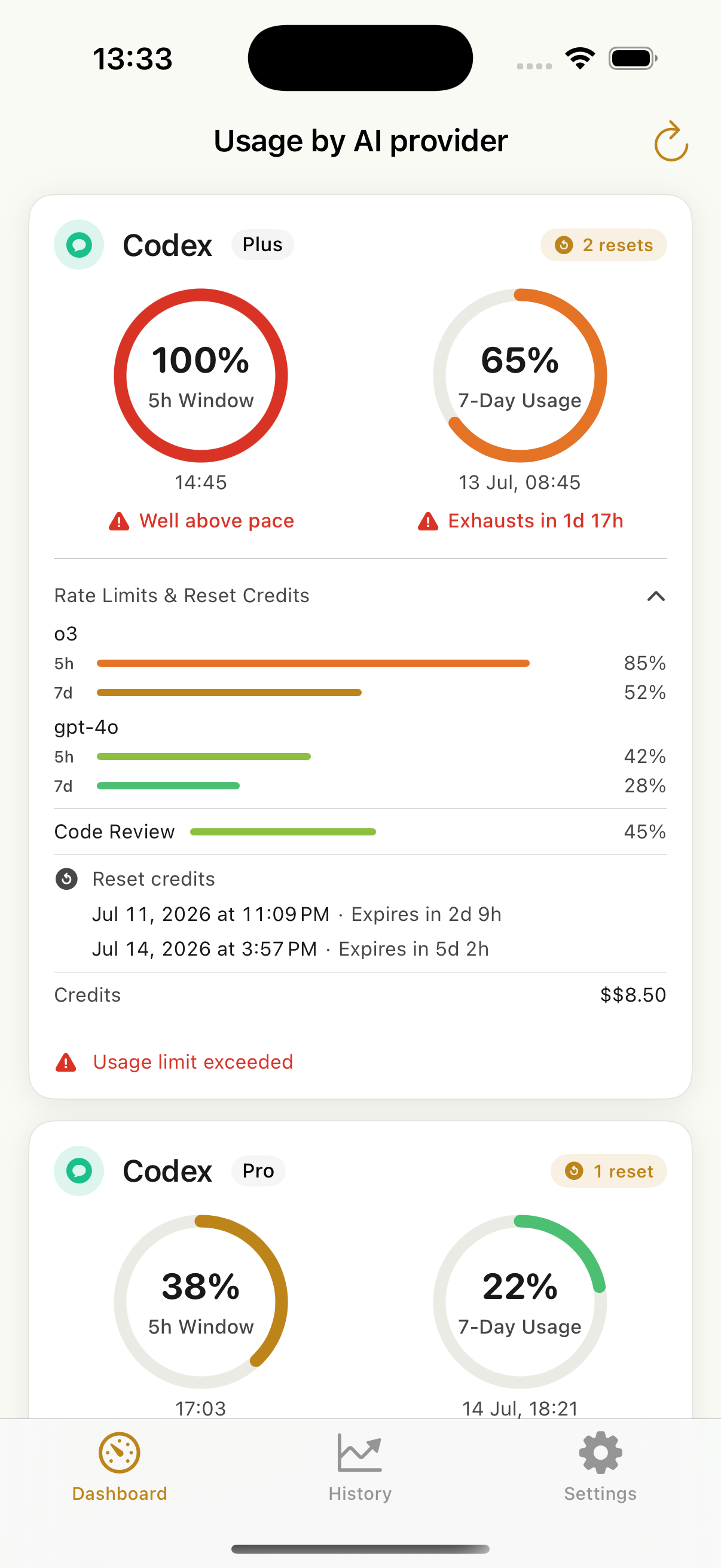
At a glance
Open one app to see what is available now, what needs attention and when each usage window resets.
Follow moving windows, weekly quotas, token usage and API costs across providers and accounts.
Set usage thresholds and receive a notification before a limit interrupts your work.
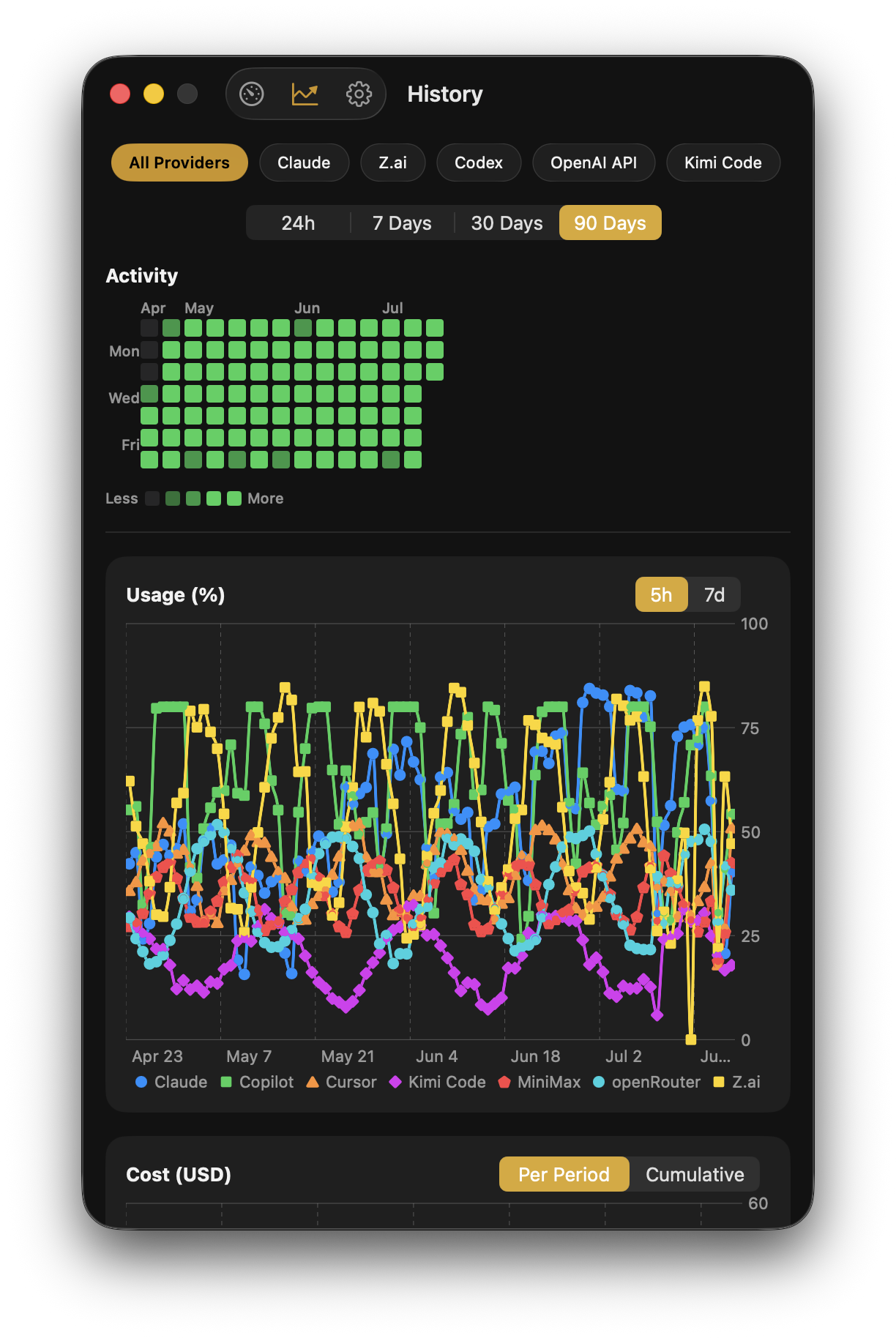
Compare 24-hour, 7-day, 30-day and 90-day periods, provider trends and a 13-week activity heatmap.
Use Home Screen and Lock Screen widgets on iPhone and iPad, desktop widgets on Mac, plus the macOS menu bar, for a quick status check.
Inside the app
Connect multiple accounts across 10 supported AI providers. Scan limits, reset timers, credits, token usage and API costs in one dashboard — then expand any account when you need the detail.
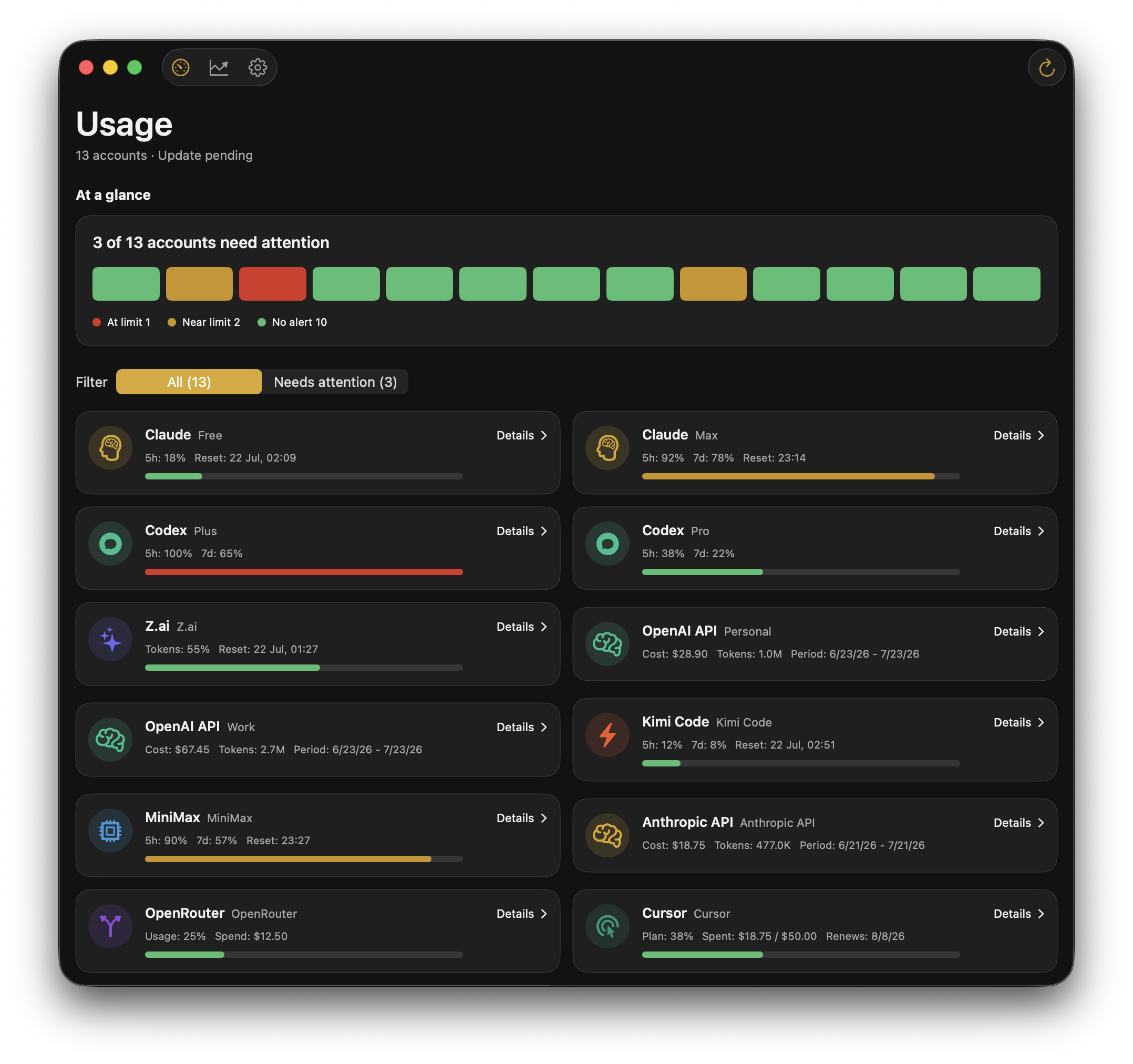
Multi-provider dashboard · Mac
See every connected account in a compact status board, from Claude and Codex subscriptions to OpenAI, Anthropic and OpenRouter API usage.
 View full size
Compact + expanded · Mac
Open an account to inspect usage windows, pacing, reset times, credits and costs while the rest of the dashboard stays compact.
View full size
Limits and resets · iPhone
Check current limits, upcoming reset times and expiring credits before they interrupt your work.
View full size
History and spend · Mac
Review activity, consumption and spend across your connected accounts over time.
 View full size
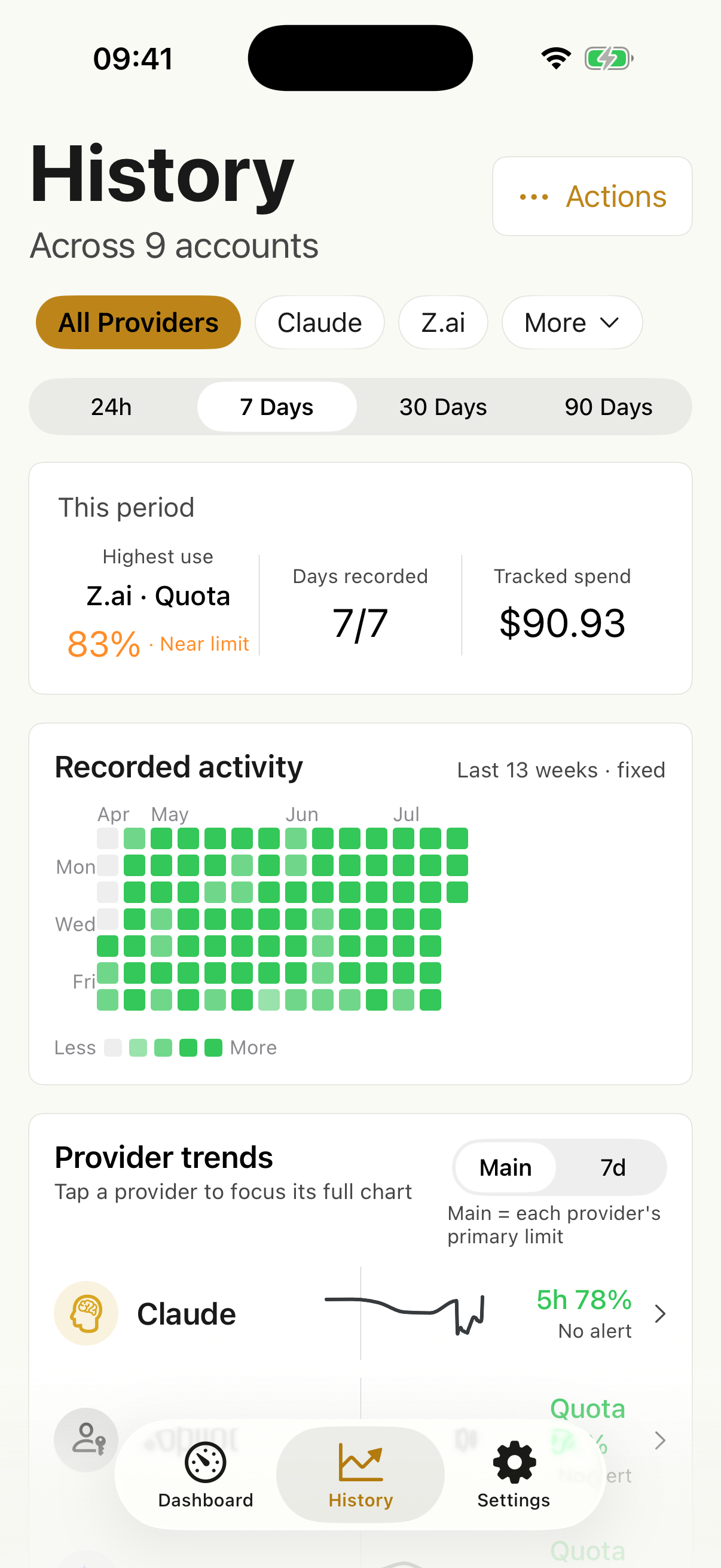
History · iPhone
Filter providers and review account activity, usage trends and costs from a focused mobile view.
 View full size
Swipe to explore all five screens.
Six in-app languages. App labels and notifications update with your choice; Arabic uses a right-to-left layout.
Add one or multiple accounts for each supported provider. The same core tracker and account data are available across iPhone, iPad and Mac.
Supported providers
What you can track
The app reads the usage information available for each supported account and presents it in a consistent dashboard. Reset timers indicate when a tracked usage window is expected to become available again.
Follow the Claude usage windows available to your account, see current percentages and check the reported reset time without reopening the provider dashboard.
View ChatGPT and Codex rate-limit windows, credits, code review usage and available reset information in the same dashboard.
Monitor tokens, costs and billing periods for supported OpenAI, Anthropic and OpenRouter API accounts.
Keep personal and work accounts separate while viewing current limits, resets and history in one app.
Privacy controls
There is no separate Usage Tracker account. Provider credentials are stored in Apple Keychain, and iCloud sync is off until you enable it.
Questions
Yes. The app shows the Claude usage windows available to your account, including current percentages and reported reset times.
Yes. ChatGPT and Codex usage windows, credits, code review usage and available reset information can be viewed in the same dashboard.
Yes. Reset timers show when a provider's tracked usage window is expected to become available again, based on the reset information reported for that account.
Yes. Supported API accounts can show token usage, costs and billing periods for OpenAI, Anthropic and OpenRouter.
Yes. Multi-account support lets you keep personal and work accounts separate while viewing their current limits in one app.
Claude, ChatGPT and Codex, OpenAI API, Anthropic API, OpenRouter, Cursor, GitHub Copilot, Z.ai, Kimi Code and MiniMax.
Credentials are stored securely in Apple Keychain. Optional iCloud sync can keep accounts and history available across compatible Apple devices.
Free includes one provider. Plus costs €2.99/month or €29.99/year. Pro costs €5.99/month or €59.99/year. Eligible new subscribers may see introductory offers in the App Store.
The same core tracker runs on iPhone, iPad and Mac. Use Home Screen and Lock Screen widgets on iPhone and iPad, desktop widgets on Mac, and the macOS menu bar for quick status checks. The current release requires iOS or iPadOS 18 and macOS 15 or later.
The app supports English, Portuguese, Spanish, French, Arabic and Simplified Chinese. Language selection updates app labels and notifications, and Arabic uses a right-to-left layout.
Plans and pricing
Every plan includes current usage, reset timers and background refresh. Plus adds the tools most regular users need; Pro removes provider limits.
For tracking one AI service.
€0forever
No subscription required.
Start immediately with the provider you use most.
For regular use across several services.
€2.99/ month
or €29.99/year
7-day free trial on annual. Monthly intro: €1.99 for 3 months.
For power users with many providers.
€5.99/ month
or €59.99/year
Intro: €3.99/month for 3 months or €49.99 for the first year.
Prices shown for the Portugal storefront. App Store prices may vary by country. Introductory offers are available only to eligible new subscribers. Subscriptions renew automatically unless cancelled.